

The go-to marketplace and enthusiasts' club for rare, custom and just plain cool cars.
Install  on iOS
To add this website to your home screen and install The Cool Car Network as a Progressive Web App on your iOS device, from our home page in your Safari browser, follow these steps...
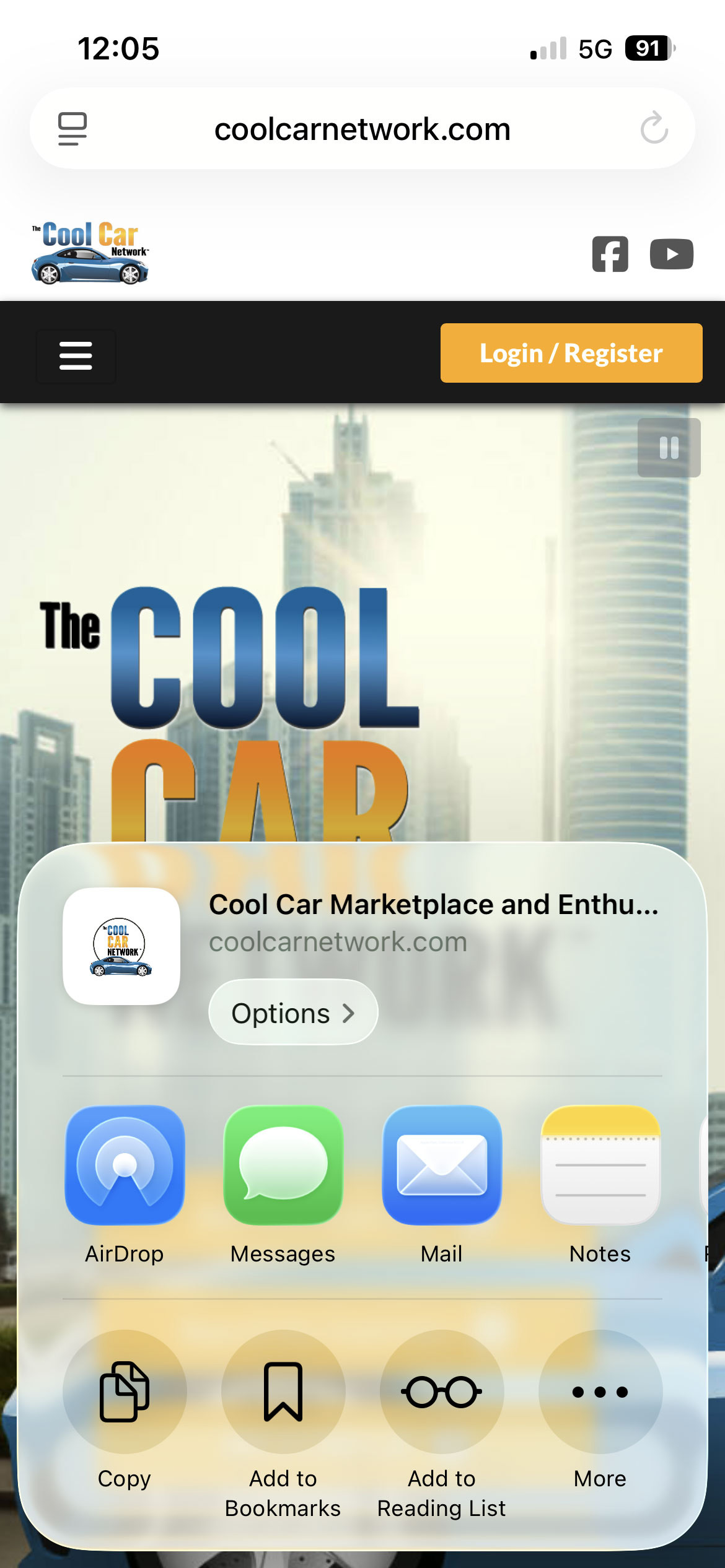
Step 1
In the share popup, select "More"...
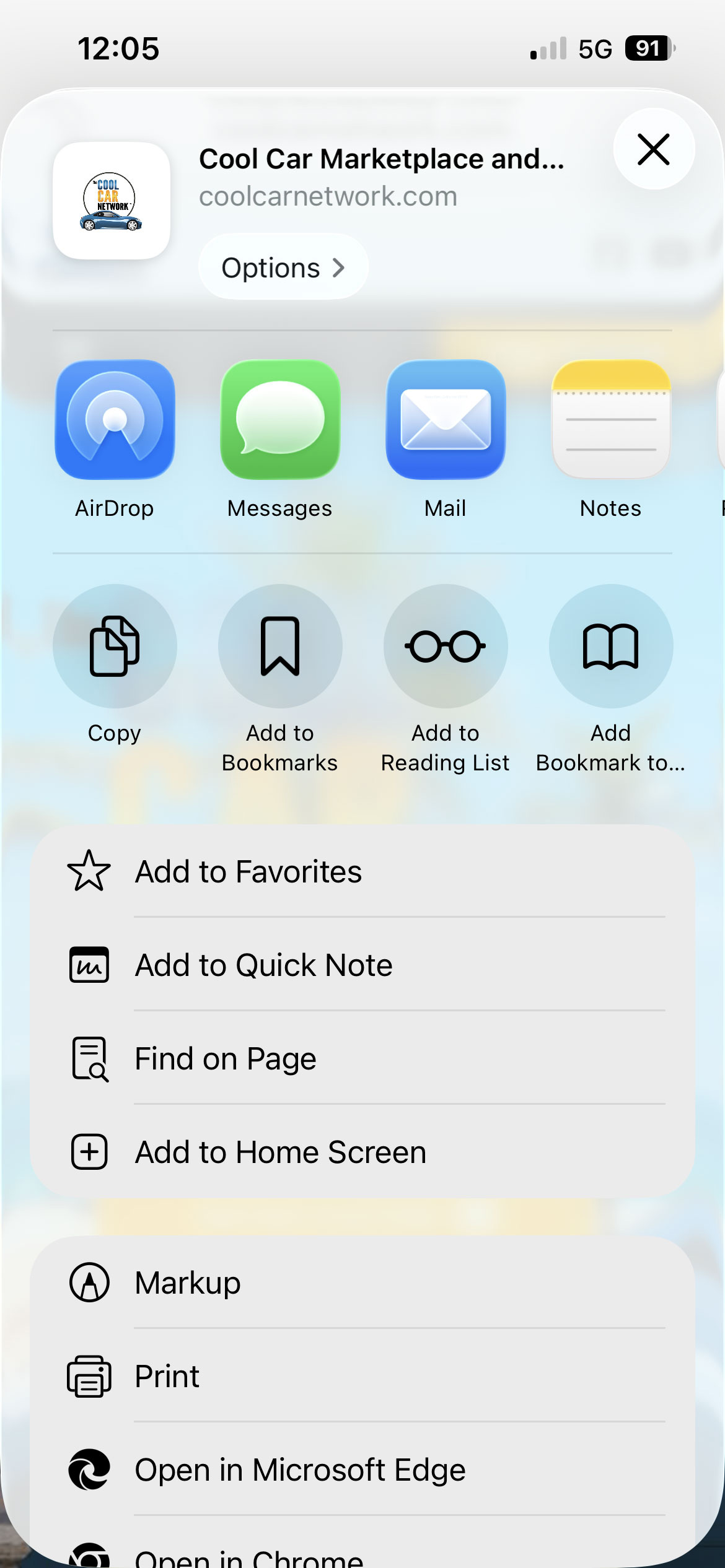
Step 2
Select "Add to Home Screen"...
Step 3
Click the "Add" button...
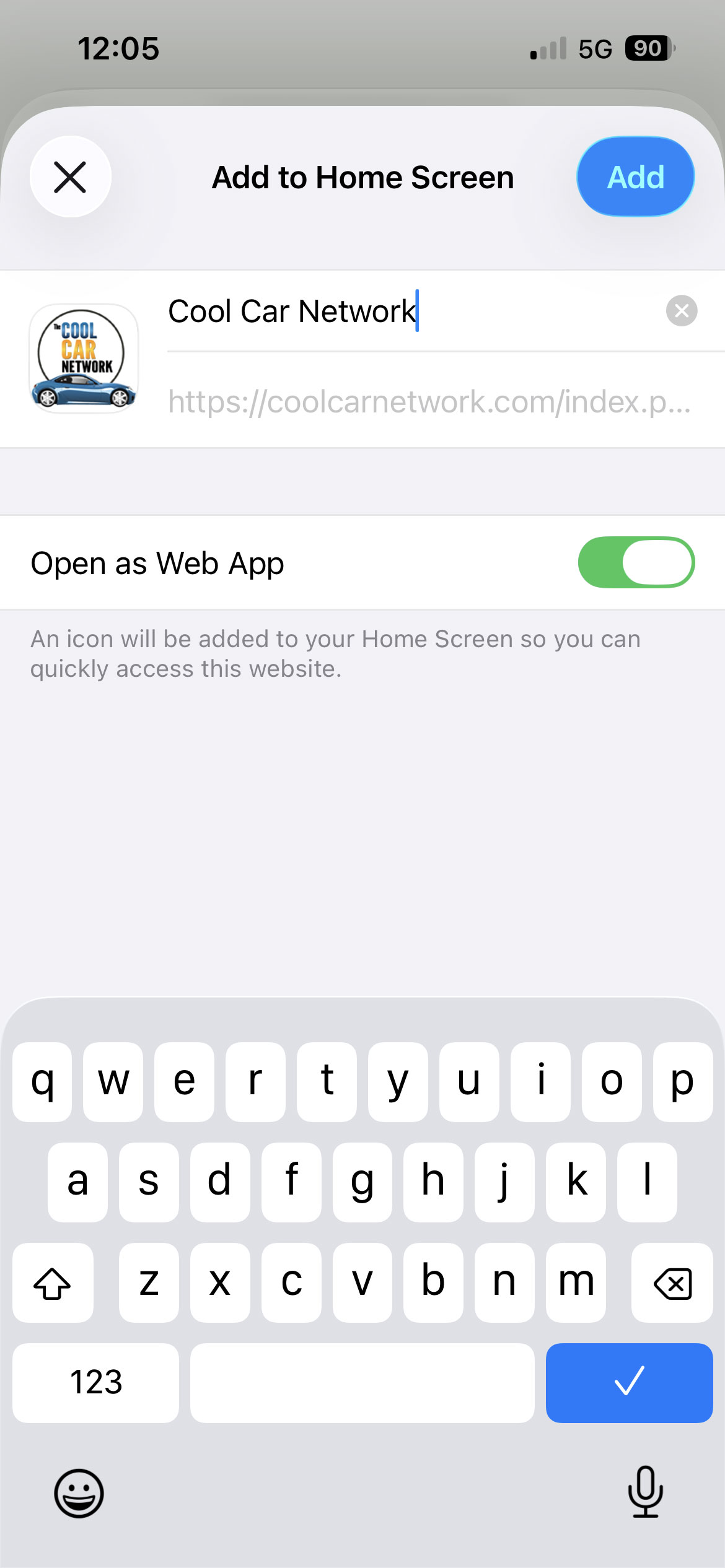
An app icon will appear on your home screen.
Once you open The Cool Car Network from the app icon on your home screen, you'll be able to enable push notifications from The Cool Car Network via your user account settings.